
Goldspin Casino registration and account login
Creating your account at GoldSpin only takes a few minutes and you can claim your welcome bonus immediately. You will need a valid email address and password to get started, and you should have your ID ready for later verification. The sign-up process is straightforward, but there are some important rules regarding age requirements and account management that you should be aware of before you get started.
Create your Goldspin account
Getting started at GoldSpin is quick and uncomplicated. Here you will find everything you need to know before you create your account.
Registration process
To play at GoldSpin, you must register an account with which you can make deposits and claim bonuses. You must be a real person (companies cannot register) and must not be a casino employee or associated with one.
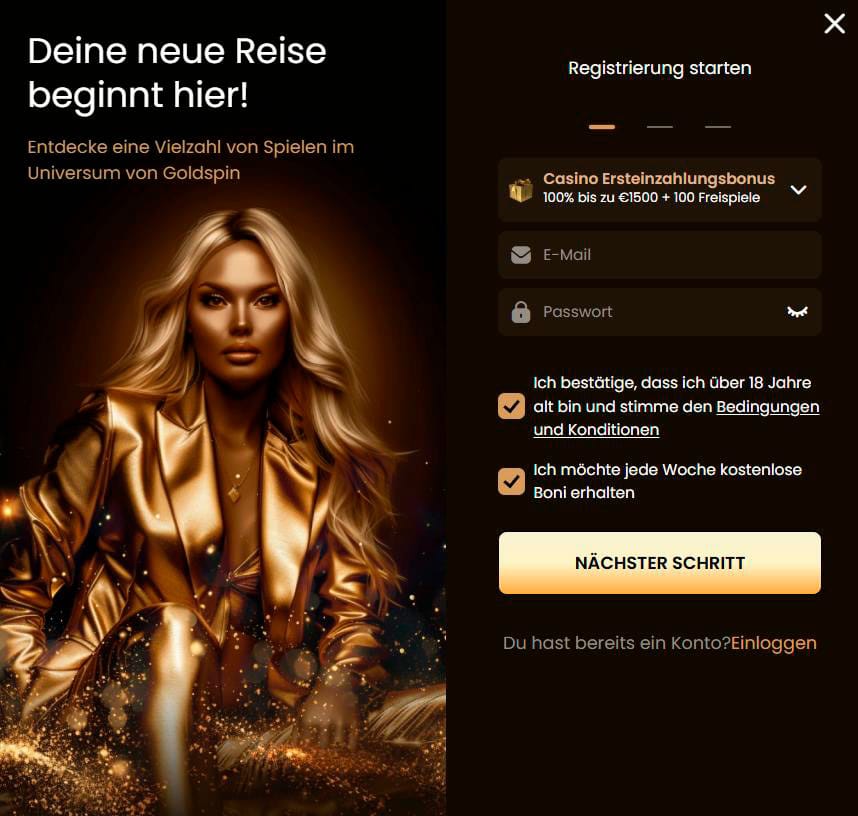
Step-by-step registration:
- Click on the „Register” button on the start page.
- Enter your e-mail address and create a secure password.
- Enter your personal details, including your full name, date of birth and telephone number.
- Confirm that you are over 18 years of age and agree to the terms and conditions.
- If you wish, you can register for weekly bonuses.
Your name must match the name on your official identification documents. Offensive language or commercial information in your profile fields is not permitted. Repeated offences may result in the blocking of your account and confiscation of your funds.
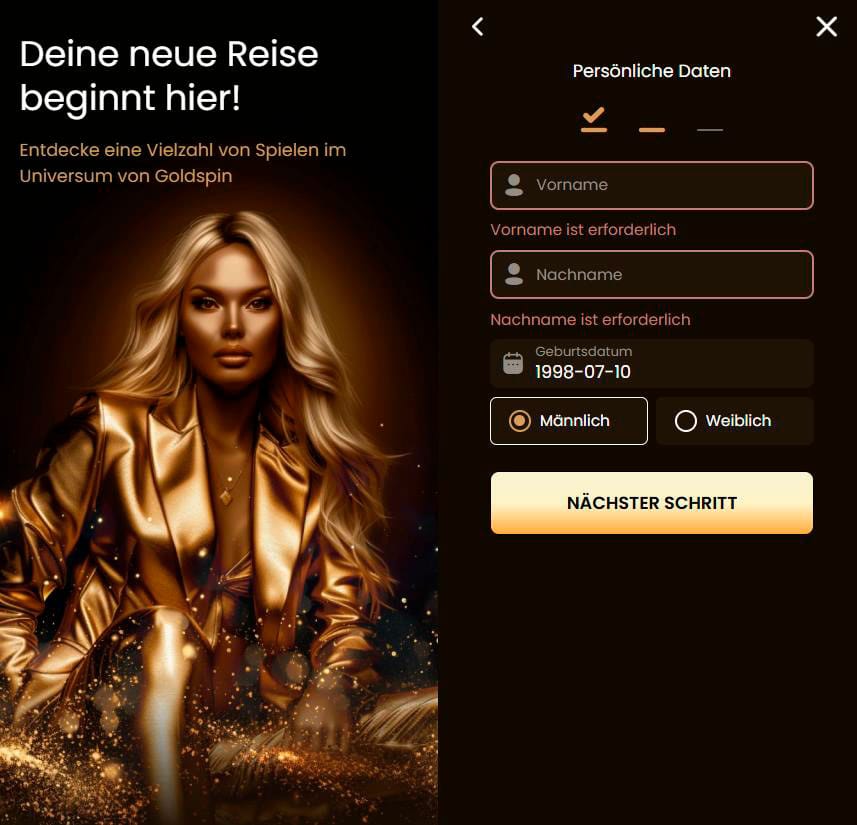
Age requirements and age verification
You must be at least 18 years of age or the legal gambling age in your jurisdiction, whichever is higher. GoldSpin reserves the right to request written proof of your age at any time.
If you are unable to provide proof of age when requested, we will block your account until such proof is provided or close it permanently. If we determine that you were under the age of majority at the time of gambling, the following will occur: Your account will be cancelled, all transactions will be void, deposits will be refunded, winnings will be forfeited.
Required account information
When registering, you must provide accurate information that matches your official documents. The platform requires:
- Valid e-mail address (for registration and communication)
- Password for account security
- Full name (must match the ID card)
- Date of birth
- Residential address
- Telephone number
A big plus: GoldSpin will automatically sign you up for the newsletter via your registration e-mail so that you are kept up to date on bonuses and promotions. You must notify GoldSpin immediately if your details change.
Manage your login data
Your email address and password are your keys to the casino. You are responsible for keeping them safe, as all transactions made with your login details are considered valid, even if someone else has used them.
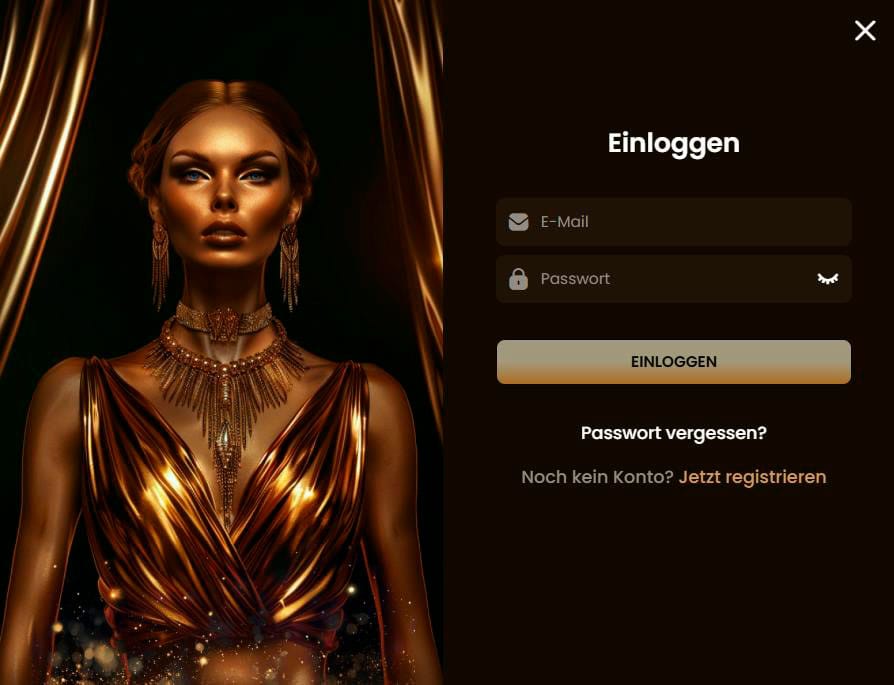
Proven safety measures:
- Change your password regularly
- Do not save passwords in your browser
- Use anti-virus software and firewall protection
- Never disclose your password to third parties, not even to GoldSpin employees
If you lose access to your password, please report this immediately by e-mail to support@goldspin.com or via live chat. However, the loss of your password does not entitle you to any compensation.
GoldSpin staff will never ask you for your password.
Account security
We take unauthorised access very seriously, but ultimately you are responsible for the security of your account. The reality is this: If someone accesses your account using your login credentials, those transactions are considered valid.
To protect yourself, deactivate the storage of passwords in the browser and secure your device with updated protection software. If you suspect unauthorised use, contact support immediately at support@goldspin.com.
Identity check
GoldSpin may request documents to verify your identity at any time. Verification is required in any case if you reach cumulative deposits or withdrawals of €500 or if fraud is suspected.
Accepted documents are:
- Valid passport, identity card or driving licence (clear copy)
- Proof of address: electricity, gas or water bill, bank statement or landline bill not older than 3 months
- Proof of payment: copy of credit card, screenshot of e-wallet or bank statement (scanned copies are not accepted)
- Additional checks may include proof of your financial means, selfies with your ID or proof of assets
Your proof of address must include your name, home address and date of issue, which match your profile details.
Timetable for the review
As soon as GoldSpin requests documents, you must submit them immediately, otherwise there is a risk of your account being blocked. During the verification process, your withdrawal options may be restricted.
If you are unable to provide the requested information, GoldSpin may close your account permanently. Conclusion: Have your documents ready and respond quickly to verification requests to avoid delays in accessing your funds.
Rules for account utilisation
One player equals one account, full stop. You may not open multiple accounts, and family members may not use the same IP address, computer or device without written authorisation from GoldSpin.
What happens with duplicate accounts:
- All duplicate accounts are closed immediately.
- Transactions from duplicate accounts are invalid.
- Bets or deposits may be returned at the discretion of GoldSpin.
- All bonuses, refunds and winnings from duplicate accounts will be forfeited.
- You must repay all money withdrawn from duplicate accounts.
If you notice multiple accounts under different names, please contact support immediately.
Restrictions and account blocking
GoldSpin may suspend or permanently close your account if fraudulent activity is suspected. You can also request a temporary or permanent account suspension yourself by sending an e-mail with your username and the desired suspension period to support@goldspin.com.
Reasons for account blocking:
- Account is linked to previously deleted or blocked accounts
- Attempt to hack the system or conspire with others
- Manipulation of software
- Use of your account for illegal purposes
- Publication of derogatory or offensive information
- Violation of the General Terms and Conditions
To shorten a temporary block, you must wait 24 hours after requesting the shortening. In the case of permanent blocks without a specific duration, a written application and a waiting period of 24 hours is required for reopening.
If your account is blocked, the remaining funds (excluding bonuses) will be transferred to your bank card, bank account or payment system at GoldSpin's discretion. Honestly, the blocking of your GoldSpin account will not affect accounts at other casinos operated by the same company.

FAQ
Registration takes a maximum of 2-3 minutes. You enter your email address, create a password, enter basic personal details such as name and date of birth and confirm that you are over 18 years old. Once you are done, your account is immediately active and you can make your first deposit to receive the welcome bonus.
Absolutely! You can make deposits and play immediately after creating your account. However, you will need to complete verification when you reach a total of €500 in deposits or withdrawals or if GoldSpin requires it. We recommend that you have your ID ready so that there are no delays when you want to withdraw your winnings.
Verification is required when you reach a total of €500 in deposits or withdrawals. GoldSpin may also request verification at any time if there is a suspicion that something is wrong. During verification, your ability to withdraw may be restricted until you provide the required documents. It is better to do this early so that you don't have to wait when you want to withdraw your money.
Technically, family members cannot register from the same IP address, computer or device without written authorisation from GoldSpin. One player equals one account, full stop. If GoldSpin detects duplicate accounts, all accounts will be closed, transactions will be voided and any bonuses or winnings will be forfeited. Contact support at support@goldspin.com if you have any questions regarding the registration of household members.
If you have forgotten your password, please report this immediately by email to support@goldspin.com or via live chat with support. You can use the password recovery function by clicking on „Forgot your password?“ on the login page. However, the loss of your password does not entitle you to any compensation, so GoldSpin will not reimburse you for any costs incurred during the lockout.
There is no specific „safe” amount. Verification is required once you reach cumulative deposits or withdrawals of €500, but GoldSpin can request this at any time. The minimum withdrawal is €10. Different VIP levels have different daily, weekly and monthly limits, with level 0 limited to €600 daily, €3,000 weekly and €12,000 monthly.
You must provide accurate information about your actual country of residence. The use of a VPN to disguise your location is not permitted. If you are from a restricted country, you will not be able to register at all, and GoldSpin cannot guarantee successful processing of withdrawals if you violate this policy. Check the Terms and Conditions for the full list of restricted countries before registering.
This is not possible. The e-mail address you register with is permanent. It is therefore important to use an e-mail address that you always have access to. If you lose access to your registered e-mail address, please contact support immediately, even if this may make it more difficult to access your account and complete the verification process.